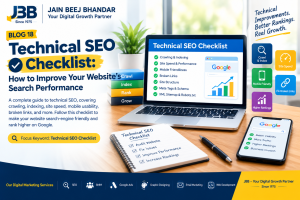
Technical SEO Checklist: How to Improve Your Website’s Search Performance
A website can have excellent content and an attractive design, but if search engines struggle to discover, crawl, or understand its pages, it may miss valuable opportunities to appear in search results. This is why Technical SEO is an important part of building a successful online presence.
Technical SEO focuses on improving the technical foundation of a website so that search engines can access and understand its content and users can enjoy a smooth browsing experience. It includes areas such as website speed, mobile usability, indexing, site structure, broken links, and structured data.
For businesses that want to grow online, technical improvements can support a stronger SEO strategy. At JBB – Your Digital Growth Partner, we believe that a website should do more than look professional. It should also provide a useful experience for visitors and support your business goals.
In this guide, we will explain the most important technical SEO checklist items, how to identify common issues, and how a well-planned digital marketing strategy can help your business work towards better search visibility.
What Is Technical SEO?
Technical SEO is the process of improving a website’s technical setup to help search engines crawl, render, and index its pages effectively.
Unlike content-focused SEO, which concentrates on the information presented on a page, technical SEO examines the website’s underlying structure and performance.
For example, a business may publish useful articles and service pages, but search engines might not index some of those pages because of incorrect settings, blocked crawling, duplicate URLs, or other technical problems.
A sound technical SEO foundation helps search engines access important content and helps visitors navigate the website more comfortably.
Why Is Technical SEO Important?
1. Better crawling and indexing: Helps search engines discover important pages and understand which content should be considered for indexing.
2. Improved website experience: Addressing technical problems can make pages easier to use and navigate.
3. Mobile usability: A mobile-friendly website helps visitors browse and interact with your business on different screen sizes.
4. Stronger website structure: Clear navigation and internal links help users and search engines understand the relationships between pages.
5. Support for SEO performance: Technical improvements remove avoidable obstacles, although they do not guarantee higher rankings.
A technically sound website gives your content and broader SEO strategy a stronger foundation.
1. Check Website Crawling and Indexing
One of the first tasks in any technical SEO audit is checking whether search engines can discover and index the pages that matter to your business.
Crawling is the process by which search engines access website URLs. Indexing is the process of analysing and storing eligible content so that it can potentially appear in search results.
A page may not appear in Google for several reasons, including technical restrictions, duplicate content, low-quality content, or indexing decisions made by the search engine.
What should you check?
- Make sure important pages are accessible to search engines.
- Review your website’s
robots.txtfile to ensure it does not unintentionally block essential content. - Check whether important pages have appropriate indexing directives.
- Inspect important URLs using Google Search Console.
- Review canonical tags to identify the preferred URL for duplicate or similar pages.
- Investigate unexpected indexing errors.
How Google Search Console helps
Google Search Console is a useful tool for understanding how Google discovers and indexes your website. Its URL Inspection and Page Indexing reports can help identify issues that require investigation.
For example, if a service page is not indexed, check whether it can be crawled, whether it contains a noindex directive, whether its canonical URL is correct, and whether it provides useful, original information.
Important: Requesting indexing does not guarantee that Google will index a page or display it at a particular ranking position.
2. Improve Website Speed and Performance
Website speed affects how visitors experience your pages. A slow website can make it harder for people to read content, explore services, or complete an enquiry form.
Website speed optimisation is therefore an important part of technical SEO and conversion-focused website management.
Website performance checklist
- Compress large images and use suitable image formats.
- Remove unnecessary scripts and plugins where possible.
- Enable appropriate caching.
- Reduce unnecessary page resources.
- Use reliable hosting.
- Check performance on mobile devices as well as desktop computers.
- Review Core Web Vitals and investigate problems identified by performance tools.
Google’s Core Web Vitals include measurements related to loading performance, responsiveness, and visual stability. These measurements can help you understand aspects of the page experience.
Tools such as PageSpeed Insights can help identify opportunities to improve performance.
Why speed matters for businesses
Imagine a potential customer visiting your website to learn about your digital marketing services. If the page takes too long to load or important elements shift while the visitor is trying to click, the experience may become frustrating.
Improving performance can make the site more comfortable to use and help visitors reach the information they need.
Explore JBB’s web development service to learn about creating a professional website experience that supports your business goals.
3. Make Your Website Mobile-Friendly
Many people browse websites using smartphones. Your website should therefore work well across mobile phones, tablets, and desktop screens.
Mobile-friendly website design helps visitors read content, navigate menus, tap buttons, and complete forms without unnecessary difficulty.
Mobile SEO checklist
- Use a responsive website layout.
- Make text readable without requiring visitors to zoom in.
- Ensure buttons and links are easy to tap.
- Prevent content from overflowing horizontally.
- Keep navigation simple and understandable.
- Check that forms work correctly on mobile devices.
- Ensure important content is available on mobile and desktop versions.
- Test important service pages on different screen sizes.
Why mobile usability matters
A potential customer may discover your business through Google, open a service page on a smartphone, and decide whether to contact you within a short time.
If the page is difficult to read or the contact button is hard to find, that visitor may leave before exploring your services.
A mobile-friendly experience helps remove these obstacles. It also supports broader website usability and search optimisation efforts.
4. Fix Broken Links and Redirect Problems
Broken links can frustrate visitors and make website navigation less useful. They may also prevent people from reaching important pages.
A broken link points to a destination that no longer works or cannot be accessed. Common causes include deleted pages, incorrect URLs, changes to website structure, and typing errors.
How to find and fix broken links
Step 1: Audit your important URLs. Check your main navigation, service pages, blog posts, and contact links.
Step 2: Identify broken destinations. Use a website crawler or other suitable auditing tool to locate URLs returning errors.
Step 3: Fix incorrect links. Update links that contain spelling mistakes or point to the wrong destination.
Step 4: Redirect changed pages when appropriate. If a page has permanently moved to a relevant replacement, use a suitable redirect, commonly a 301 redirect.
Step 5: Review internal links. Make sure visitors can reach related services and articles without encountering unnecessary errors.
Avoid redirecting every deleted URL to the homepage. A redirect should point to a genuinely relevant replacement where one exists.
For example, a blog discussing SEO services should link to the relevant JBB SEO page rather than an unrelated or unavailable URL.
5. Create a Clear Website Structure
A well-organised website makes it easier for visitors to find information and helps search engines understand how pages relate to each other.
Website structure for SEO involves organising content into logical categories, using clear navigation, and connecting related pages through useful internal links.
Website structure checklist
- Keep your main navigation simple.
- Organise service pages into understandable categories.
- Use descriptive URLs.
- Link relevant blog articles to their related service pages.
- Add breadcrumbs where they improve navigation.
- Avoid creating unnecessary duplicate pages.
- Make important pages accessible through internal links.
- Use descriptive anchor text that explains the destination.
Example of a logical website structure
| Website section | Example content |
|---|---|
| Homepage | Introduction to JBB and its digital marketing services |
| SEO service | Search optimisation services and related SEO resources |
| Google Ads service | Paid search campaigns and advertising guidance |
| SMM service | Social media marketing and audience engagement |
| Graphic Designing | Visual identity and marketing design |
| Email Marketing | Campaigns and customer communication |
| Web Development | Website creation and user experience |
| Blog | Helpful articles connecting visitors to relevant services |
This structure helps visitors understand what your business offers and provides opportunities to connect informational content with relevant service pages.
Explore the JBB homepage to see the services available on the website.
6. Optimise XML Sitemaps and Robots.txt
An XML sitemap provides search engines with information about important URLs on your website. A robots.txt file gives crawling instructions to compliant crawlers.
These tools serve different purposes and should be configured carefully.
XML sitemap checklist
- Include canonical URLs that you want search engines to consider indexing.
- Make sure important pages are included.
- Remove URLs that should not be indexed, where appropriate.
- Update the sitemap when your website structure changes.
- Submit your sitemap through Google Search Console if suitable.
Robots.txt checklist
- Check that essential pages and resources are not unintentionally blocked.
- Avoid using robots.txt as a way to remove already indexed pages from search results.
- Remember that robots.txt controls crawling, not guaranteed indexing or removal.
- Review changes carefully before publishing them.
For a WordPress website, SEO plugins can often generate and maintain XML sitemaps. However, plugin settings should still be reviewed to ensure that the sitemap matches your intended website structure.
7. Use Canonical Tags to Manage Duplicate URLs
Websites sometimes have multiple URLs that display identical or very similar content. This can happen because of URL parameters, different versions of a page, or website configuration.
A canonical tag helps indicate which URL should be treated as the preferred version among duplicate or similar pages.
Canonical SEO checklist
- Make sure important pages have appropriate canonical URLs.
- Use consistent preferred URL formats.
- Review duplicate pages and parameter-based URLs.
- Avoid pointing canonical tags to irrelevant pages.
- Check that internal links use the preferred URL where possible.
- Investigate unexpected canonical selections in Google Search Console.
Canonical tags are signals, not absolute commands. Search engines may choose a different canonical URL if other signals suggest another version is more appropriate.
Correct canonicalisation can help clarify your website structure and reduce confusion caused by duplicate URLs.
8. Add Structured Data Where Appropriate
Structured data for SEO is a standardised format that helps search engines understand information about a page.
Depending on the page, structured data may describe an organisation, a product, an article, a breadcrumb trail, or other supported content types.
Structured data checklist
- Choose a schema type that accurately represents the page.
- Make sure structured data matches visible page content.
- Avoid adding misleading or unsupported information.
- Validate the markup with Google’s Rich Results Test or another suitable validator.
- Correct errors and review warnings where relevant.
- Recheck structured data after significant page updates.
Structured data can make pages eligible for certain enhanced search appearances when they meet Google’s requirements. However, adding schema does not guarantee rich results or higher rankings.
For example, a blog article may use suitable Article structured data, while a genuine business page may use an appropriate Organisation or LocalBusiness type if the details qualify.
9. Optimise Images for Search and Performance
Images help explain ideas, demonstrate services, and make blog posts more engaging. However, unnecessarily large image files can slow down pages, and poorly described images may be less accessible.
Image SEO optimisation involves choosing appropriate images, descriptive filenames, useful alt text, and efficient file sizes.
Image optimisation checklist
- Choose images that genuinely support the page topic.
- Use descriptive filenames instead of generic names.
- Write meaningful alt text for informative images.
- Keep decorative images from adding unnecessary screen-reader descriptions.
- Compress images and use modern formats where suitable.
- Specify image dimensions where possible to reduce layout shifts.
- Use responsive images when supported by your website.
- Avoid repeating the same keyword unnaturally in every image description.
For this article, a suitable image filename would be technical-seo-checklist-jbb.png.
A suitable alt text would be: “Technical SEO checklist covering website crawling, indexing, speed, mobile usability, and broken links.”
Image optimisation supports usability and performance, but it does not guarantee that an article will rank higher.
10. Check HTTPS and Website Security
A secure website helps protect information exchanged between visitors and your site. HTTPS uses encryption to protect data in transit.
For businesses that collect enquiries through forms, security is particularly important because visitors need confidence when interacting with the website.
Website security checklist
- Make sure HTTPS works correctly across the website.
- Renew and maintain your SSL/TLS certificate.
- Redirect HTTP URLs to the preferred HTTPS version where appropriate.
- Fix mixed-content warnings.
- Keep WordPress, themes, and plugins updated.
- Use strong passwords and appropriate access permissions.
- Maintain reliable backups.
- Remove unused plugins and themes when safe to do so.
HTTPS is a basic security requirement for modern websites. It should be part of website maintenance rather than treated as a shortcut to higher rankings.
For a broader approach to online growth, explore JBB’s web development services.
11. Technical SEO Checklist: Quick Website Audit Table
Use this table as a starting point when reviewing your website.
| Technical SEO task | What to check | Why it matters |
|---|---|---|
| Crawling | Important pages can be accessed | Helps search engines discover content |
| Indexing | Important pages are eligible for indexing | Supports visibility in organic search |
| Website speed | Slow pages and performance issues | Improves the browsing experience |
| Mobile usability | Layout, navigation, buttons, and forms | Helps smartphone users |
| Broken links | URLs that return errors | Supports smooth navigation |
| Site structure | Clear categories and internal links | Helps users understand the website |
| XML sitemap | Important canonical URLs are included | Helps communicate URL discovery information |
| Robots.txt | No unintended crawling blocks | Prevents avoidable access restrictions |
| Canonical tags | Preferred URL signals are appropriate | Helps manage duplicate URLs |
| Structured data | Accurate and valid markup | Helps search engines understand content |
| Images | File size, format, and alt text | Supports accessibility and page performance |
| HTTPS | Secure connections and correct redirects | Protects data in transit |
Not every website will have the same technical issues. Prioritise problems according to their impact, the importance of affected pages, and the resources available to fix them.
12. How JBB Can Help with Your Digital Marketing Growth
Technical SEO is one part of a broader digital marketing strategy. Even a technically well-built website needs helpful content, relevant messaging, a clear service offering, and a way for visitors to take action.
At JBB – Your Digital Growth Partner, we offer a range of digital marketing services that can support businesses in developing their online presence.
Explore JBB’s services
SEO: Our SEO service can help businesses work on organic search visibility and website optimisation.
Google Ads: Our Google Ads service supports paid search advertising strategies designed around campaign goals.
Social Media Marketing: Our SMM service helps businesses work on social media communication and audience engagement.
Graphic Designing: Our graphic design service helps communicate your brand message through professional visual content.
Email Marketing: Our email marketing service supports customer communication and relationship-building campaigns.
Web Development: Our web development service helps businesses create a website experience suited to their brand and user needs.
These services can complement each other when they are planned around clear objectives. For example, technical website improvements can support SEO, while useful content and paid campaigns can create additional opportunities for people to discover your business.
Why consider JBB?
A strong digital marketing partner should understand your goals, explain the work clearly, and help you evaluate progress using relevant measures.
JBB aims to support businesses with a connected approach to digital marketing rather than treating every service as an isolated activity. The most suitable strategy will depend on your website, audience, competition, and business objectives.
Visit the JBB website to explore the services and identify which options fit your needs.
Conclusion: Build a Stronger Website with Technical SEO
Technical SEO helps create a foundation for a website that search engines can access and visitors can use comfortably. From crawling and indexing to mobile usability, website speed, internal links, and structured data, every technical area contributes to the overall quality of your website.
A checklist can help you identify issues, but effective optimisation requires prioritising the right fixes and checking their impact over time. No technical change can guarantee first-page rankings, and technical SEO works best alongside helpful content, relevant keywords, and a positive user experience.
At JBB – Your Digital Growth Partner, we believe a well-planned digital presence should support real business goals. With the right combination of website improvements and digital marketing services, businesses can work towards better visibility, a smoother customer experience, and more meaningful opportunities online.
Ready to strengthen your online presence? Explore JBB’s SEO services and web development services to learn more.
Frequently Asked Questions (FAQs)
1. What is technical SEO?
Technical SEO is the process of improving a website’s technical foundation so that search engines can crawl, render, and index its pages effectively. It includes areas such as indexing, website speed, mobile usability, site structure, and structured data.
2. Why is technical SEO important?
Technical SEO helps address problems that may prevent search engines from accessing important content and can improve the website experience for visitors. It supports an SEO strategy but does not guarantee higher rankings.
3. How often should I perform a technical SEO audit?
Review technical SEO regularly and whenever you make major website changes, migrate pages, install significant plugins, or notice unexpected search performance issues. The right frequency depends on your website’s size and complexity.
4. Which tools can I use for a technical SEO audit?
Useful tools include Google Search Console, PageSpeed Insights, Google’s Rich Results Test, and website crawling tools. Each tool examines different aspects of your website, so use them together where appropriate.
5. Does website speed affect SEO?
Website speed and page experience are important considerations for users and search engines. Improving performance can make a site easier to use, but speed improvements alone do not guarantee higher rankings.
6. Can I do technical SEO on WordPress myself?
Many basic tasks can be managed in WordPress, especially with suitable SEO and performance tools. However, issues involving redirects, canonical tags, indexing, server settings, or complex website structures may require technical expertise.
7. What is the difference between technical SEO and on-page SEO?
Technical SEO focuses on crawling, indexing, site structure, performance, and other technical factors. On-page SEO focuses more on page content, headings, title tags, internal links, and how well the content meets search intent. Both are important parts of SEO.
8. Can JBB help improve my website’s SEO?
JBB offers SEO services and web development services that businesses can explore for their online growth needs. Review the services and discuss your website requirements to identify a suitable approach.
JBB – Your Digital Growth Partner | Since 1975
Build your digital presence with a stronger website foundation, helpful content, and a strategy aligned with your business goals.