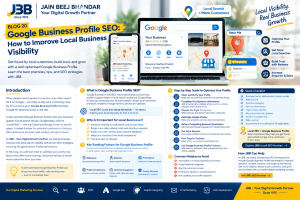
Google Business Profile SEO: How to Improve Local Business Visibility
Meta Title: Google Business Profile SEO: Complete Local SEO Guide
Meta Description: Learn Google Business Profile SEO tips to improve local visibility, optimise your business listing, attract nearby customers, manage reviews, and grow enquiries.
Focus Keyword: Google Business Profile SEO
Secondary Keywords: Google Business Profile optimisation, local SEO, Google Maps SEO, Google Business Profile ranking, local business listing, Google Maps ranking factors, local search optimisation, improve local search visibility, local SEO for small businesses, Google business listing optimisation, local customer acquisition, local search marketing.
Suggested URL Slug: google-business-profile seo
Featured Image Filename: google business profile seo local visibility jbb
Featured Image Alt Text: Google Business Profile SEO guide showing local search visibility, Google Maps, business listing optimisation, and customer growth.
Introduction: Why Google Business Profile SEO Matters
Imagine a customer searching Google for a service your business offers. They may see a map, nearby businesses, customer reviews, contact details, directions, and website links before visiting any website.
Will your business appear when that customer searches?
For local businesses, being visible in relevant searches can help potential customers discover their services, learn about their reputation, compare available options, and contact them. This is why Google Business Profile SEO is an important part of a well-planned local SEO strategy.
Google Business Profile is Google’s free tool that allows eligible businesses to manage how their business information appears on Google Search and Google Maps. Businesses can provide important details such as their name, address or service area, phone number, website, business hours, photos, and services.
A properly maintained profile helps customers understand what your business offers and how to contact you. However, simply creating a listing does not guarantee prominent placement in local search results.
To improve your chances of appearing for relevant searches, you need accurate business information, an appropriate business category, useful website content, genuine customer reviews, and consistent profile management.
At JBB – Your Digital Growth Partner, Since 1975, we understand the importance of building a strong online presence. In this guide, you will learn how to optimise your Google Business Profile, understand local ranking factors, improve Google Maps visibility, avoid common mistakes, and create a practical plan for attracting more relevant local customers.
What Is Google Business Profile SEO?
Google Business Profile SEO is the process of improving your Google Business Profile and supporting online presence so that your business can be better understood and discovered for relevant local searches.
It forms part of local search engine optimisation, which focuses on helping people find businesses that serve their location or needs.
For example, someone might search for:
- Digital marketing agency near me
- SEO services in Khargone
- Website development company in Indore
- Graphic design services for small businesses
- Google Ads management agency
- Email marketing services near me
These searches can indicate that a person is looking for a relevant business, although the intent behind each search may differ.
Google Business Profile optimisation involves several activities:
- Completing and verifying your business profile.
- Selecting the most appropriate business category.
- Providing accurate business information.
- Adding genuine photos and relevant service details.
- Maintaining correct business hours.
- Encouraging honest customer reviews.
- Responding professionally to reviews.
- Publishing useful updates when appropriate.
- Keeping your website and business information consistent.
- Monitoring profile performance and customer actions.
The aim is to make your business information accurate, useful, and relevant to potential customers.
For official instructions, refer to Google’s Business Profile Help Centre.
Why Is Google Business Profile Important for Local Businesses?
A strong local presence can help customers find and evaluate your business when they need a product or service. Here are the main benefits of Google Business Profile optimisation.
1. Improve Local Search Visibility
An accurate, complete profile helps Google understand your business and assess its relevance to local searches.
For example, a business offering website development can clearly explain its services and choose a category that accurately reflects its primary activity. This helps provide useful information to customers and supports Google’s understanding of the listing.
Remember, profile optimisation cannot guarantee a particular ranking or ensure that a listing appears for every nearby search.
2. Help Customers Find Your Business on Google Maps
Many people use Google Maps to discover nearby businesses, check directions, and evaluate places before visiting.
Keeping your address or service area accurate, where applicable, helps potential customers understand where your business operates.
This is especially useful for eligible shops, offices, service providers, and other local businesses.
3. Build Trust Through Accurate Information
Customers may hesitate to contact a business if its address, telephone number, hours, or services appear inconsistent.
An updated Google business listing gives potential customers a clearer picture of your business and makes it easier for them to take the next step.
4. Showcase Your Products, Services, and Work
Relevant, genuine photos can help customers understand what your business offers.
Depending on your business type, you may showcase your premises, team, products, completed projects, or examples of your work.
Use authentic images that represent your business accurately. Google provides official guidance on managing Business Profile photos and videos.
5. Make It Easier for Customers to Contact You
An eligible and properly configured profile can help customers access available actions such as calling your business, visiting your website, viewing directions, or exploring other supported features.
The exact options displayed depend on the profile, business type, and Google’s interface.
6. Support Your Wider Digital Marketing Strategy
Your Google Business Profile should work alongside your website, local content, online reputation, and other digital marketing activities.
For example, a profile may introduce a customer to your business, while your website provides detailed information about your services.
Explore JBB’s digital marketing website to see how local SEO can complement other online marketing services.
How Does Google Determine Local Search Rankings?
One of the most important things to understand about Google Maps SEO is that there is no guaranteed shortcut to the top position.
Google says local results are mainly based on three factors: relevance, distance, and prominence. You can read the official explanation in Google’s guide to improving local ranking.
1. Relevance
Relevance describes how closely a business profile matches what someone is searching for.
For example, if a customer searches for a graphic design service, a business profile that accurately describes relevant design services may be more appropriate than a profile that provides little information about its offerings.
To support relevance:
- Choose an accurate primary category.
- Complete the fields available for your business.
- Describe your services clearly.
- Keep your website content aligned with your actual offerings.
- Ensure your profile reflects the business you operate.
2. Distance
Distance refers to how far a business is from the searcher or the location mentioned in the search.
For example, a person searching for a nearby service may receive different results from someone searching in another neighbourhood.
Businesses cannot control a searcher’s location. Do not create misleading addresses or pretend to operate from locations where your business has no legitimate presence.
3. Prominence
Prominence relates to how well-known a business is. Google may use information from across the web, including relevant links and customer reviews, as part of its understanding of a business’s prominence.
Businesses can work on their broader online presence by providing useful website content, maintaining accurate information, earning genuine reviews, and building legitimate visibility.
No agency can guarantee a particular Google Maps position simply by editing a profile.
Step-by-Step Guide to Google Business Profile Optimisation
Follow these steps to improve the quality and usefulness of your business listing.
Step 1: Claim and Verify Your Business Profile
If your business is eligible, claim the appropriate profile or create one if needed. Follow Google’s verification process to demonstrate that you are authorised to manage the business information.
Before making changes, check whether an existing profile already represents your business. Creating duplicate profiles for the same business can cause problems.
Action checklist:
- Confirm that the listing represents your actual business.
- Use the correct account to manage it.
- Complete the verification steps Google provides.
- Review the profile for incorrect or outdated details.
- Keep control of account access within your business.
Read Google’s official Business Profile representation guidelines.
Step 2: Use Your Correct Business Name
Your Google Business Profile business name should reflect the name your business consistently uses in the real world.
Avoid adding extra keywords, locations, slogans, or promotional claims to the name field merely to influence rankings.
For example, if a business is called “ABC Web Solutions,” adding a string such as “ABC Web Solutions Best Cheap Website Designer Near Me” is not an appropriate way to optimise the listing unless that is genuinely its real-world business name.
Keep your name accurate and consistent with your business identity.
Step 3: Choose the Most Appropriate Primary Category
Your primary business category is an important part of explaining what your business does.
Choose the category that most accurately represents your main business activity. Add secondary categories only when they genuinely describe additional services or activities supported by the business.
Do not select unrelated categories just because they appear popular.
Review your profile periodically to ensure the categories remain appropriate as your business changes.
Step 4: Complete Your Business Information
Accurate business information helps potential customers understand how to contact or visit you.
Review these details:
- Business name
- Address, where customers can visit the location
- Service area, where applicable
- Main telephone number
- Website URL
- Opening hours
- Special hours and holiday hours
- Relevant business attributes
- Available services or products
- Other applicable profile fields
Ensure the information reflects your actual business operations.
For service-area businesses, follow Google’s rules about whether an address should be displayed. Do not publish a residential or other address as a customer-facing location when it does not qualify.
Step 5: Write a Clear Business Description
Your Google Business Profile description should explain what your business does, what it offers, and what makes it useful to customers.
Write naturally and focus on accurate information.
A good description can communicate:
- Your main products or services.
- The types of customers you serve.
- Your relevant expertise.
- Your business approach.
- The value customers can expect from working with you.
Avoid keyword stuffing, unsupported claims, excessive promotional language, and information that violates Google’s profile policies.
Example business description framework:
“[Business Name] provides [main services] for [target audience]. We help customers with [key needs] through [relevant approach or capabilities]. Our focus is on clear communication, reliable service, and solutions suited to each customer’s requirements.”
Customise this framework using only details that are true for your business.
Step 6: Add Genuine, High-Quality Photos
Visual information can help customers understand your business before contacting you.
Depending on your business, useful photos may include:
- Your storefront or office exterior.
- Your interior or working environment.
- Products you sell.
- Your team at work.
- Completed projects.
- Equipment or facilities relevant to your services.
- Your logo and other suitable brand images.
Use clear, well-lit, authentic images. Avoid misleading photos or graphics that falsely represent your location, products, or services.
For Google’s recommendations, see Manage your Business Profile photos and videos.
Step 7: Collect Genuine Customer Reviews
Customer reviews can help potential customers evaluate your business. They can also contribute to your broader online reputation.
To build a reliable review process:
- Ask genuine customers to share honest feedback about their experience.
- Provide a convenient way for customers to leave a review.
- Respond politely and professionally.
- Address legitimate concerns where possible.
- Monitor feedback for recurring service issues.
Do not purchase fake reviews, write reviews for yourself, offer incentives in exchange for positive reviews, or pressure customers to change their feedback.
The goal is to build a trustworthy reputation—not simply to increase a star rating.
Step 8: Respond to Reviews Professionally
Responding to reviews demonstrates that your business pays attention to customer feedback.
For a positive review, thank the customer and mention something relevant about their experience.
For a negative review, remain calm, acknowledge the concern, and explain how the customer can contact you to discuss the issue privately when appropriate.
Avoid sharing confidential information or arguing with customers publicly.
A professional response may help future customers understand how your business handles feedback.
Step 9: Publish Useful Business Updates
Where Google Business Profile posts are available for your business, use them to share relevant and timely information.
Possible updates include:
- New services or products.
- Announcements about business changes.
- Events or offers with accurate terms.
- Seasonal information.
- Useful educational content.
- Relevant project updates.
Keep posts accurate, readable, and compliant with Google’s policies.
Posting frequency alone does not guarantee improved rankings. Prioritise useful updates that help customers make informed decisions.
Step 10: Keep Your Website Aligned With Your Profile
Your website provides more space to explain your services, show examples of your work, answer customer questions, and encourage enquiries.
Ensure that important business details match your profile where applicable.
For example, your contact page should provide accurate contact information, while service pages should clearly describe what you actually offer.
For local businesses, relevant structured data may help Google understand details presented on the website. Learn more in Google’s documentation on Local Business structured data.
Structured data must accurately reflect visible, legitimate business information. It does not guarantee a special search appearance or higher rankings.
Step 11: Keep Your Profile Active and Accurate
Review your profile regularly rather than treating it as a one-time task.
Check for:
- Incorrect hours.
- Changes to telephone numbers.
- Updated services.
- New photos.
- Customer questions or reviews.
- Incorrect business details.
- Relevant updates to products or services.
A regular review process helps keep your information useful and reduces the risk of customers relying on outdated details.
Step 12: Track Performance and Improve
Where performance data is available in your Business Profile, review metrics such as profile views, searches, calls, website clicks, direction requests, and other customer interactions.
The exact reports and metrics available may change.
Use the information to ask better questions:
- Are people discovering the profile?
- Which searches are bringing relevant visibility?
- Are customers visiting the website?
- Are calls or enquiries increasing?
- Are customers asking questions that the profile could answer more clearly?
Combine profile data with website analytics and enquiry tracking where possible. This helps you evaluate meaningful outcomes rather than judging success only by rankings.
Local SEO Keywords: How to Use Them Correctly
Choosing relevant keywords is an important part of website optimisation, but local SEO keyword optimisation should be natural and accurate.
Think about the terms customers might use to find your business.
For example:
| Keyword type | Example | Appropriate use |
|---|---|---|
| Service keyword | SEO services | Relevant SEO service page |
| Location keyword | SEO services in Khargone | Local page, if the service is genuinely offered there |
| Informational keyword | How does local SEO work? | Educational blog article |
| Commercial keyword | Local SEO agency | Service or comparison content |
| Long-tail keyword | How to improve Google Maps visibility | Detailed guide or FAQ |
| Brand keyword | JBB digital marketing services | Relevant branded page |
Avoid inserting location names repeatedly into every heading or creating multiple near-identical pages for locations where you have no meaningful service presence.
The content should provide real value to people in the locations you genuinely serve.
For more help with keyword strategy, read our SEO services and optimisation guide.
Common Google Business Profile SEO Mistakes to Avoid
Small mistakes can make your profile less useful, and some can create policy problems.
1. Keyword Stuffing in the Business Name
Adding extra keywords to the name field for ranking purposes can violate Google’s guidelines. Use your genuine business name.
2. Selecting Irrelevant Categories
Choosing categories that do not accurately describe your business can confuse customers and misrepresent your services.
3. Using Incorrect Contact Details
Outdated phone numbers, incorrect addresses, and inaccurate hours can lead to missed enquiries and frustrated customers.
4. Buying or Fabricating Reviews
Fake reviews damage trust and can violate platform policies. Encourage honest feedback from real customers instead.
5. Creating Duplicate Listings
Multiple profiles for the same business can create confusion. Review existing listings before creating a new profile and follow Google’s guidance for resolving duplicates.
6. Uploading Misleading Photos
Images should represent the real business, products, services, or premises. Avoid using unrelated stock images as though they depict your actual location or work.
7. Ignoring Customer Feedback
Unanswered questions and reviews can leave potential customers without useful information. Build a routine for reviewing and responding to feedback.
8. Expecting Instant Ranking Improvements
Local visibility can depend on factors outside your direct control, including searcher location and competition. Avoid guarantees of instant rankings or a permanent top position.
9. Neglecting Your Website
A profile is only one part of local digital marketing. A helpful, mobile-friendly website with accurate information and relevant service pages can support the customer journey.
10. Creating Misleading Location Pages
Do not invent office locations or publish thin pages that simply swap one city name for another. Local pages should reflect genuine service availability and provide useful, location-specific information.
Google Business Profile SEO Checklist
Use this checklist to review your profile.
-
Claim and verify the correct business profile.
-
Use your genuine business name.
-
Select the most accurate primary category.
-
Add relevant secondary categories where appropriate.
-
Confirm your address or service area is accurate.
-
Check your phone number and website URL.
-
Update regular and special business hours.
-
Complete the available relevant profile fields.
-
Write a clear and accurate business description.
-
Add genuine, high-quality business photos.
-
Keep services and products accurate.
-
Ask customers for honest reviews without incentives.
-
Respond professionally to reviews.
-
Share useful updates when appropriate.
-
Keep your website and profile information aligned.
-
Review performance metrics when available.
-
Recheck the profile after significant business changes.
How JBB Can Help With Local SEO
At JBB – Your Digital Growth Partner, Since 1975, we understand that local online visibility is about more than creating a business listing. Businesses need a consistent digital presence that helps customers discover their services, understand their value, and take the next step.
Our digital marketing services can support different parts of that journey:
SEO: Improve website structure, content relevance, and search optimisation through a strategy suited to your business.
Social Media Marketing: Build a consistent social presence and share useful content with your audience.
Google Ads: Reach relevant audiences through paid advertising campaigns with appropriate targeting and measurement.
Graphic Designing: Create clear, professional visual assets that communicate your brand and services.
Email Marketing: Maintain communication with interested customers and support ongoing customer relationships.
Web Development: Build a professional, responsive website that helps visitors understand your business and contact you.
Explore our services:
- JBB SEO Services
- JBB Social Media Marketing
- JBB Google Ads
- JBB Graphic Designing
- JBB Email Marketing
- JBB Web Development
Each service plays a different role. The right combination depends on your audience, objectives, location, competition, and available resources.
Frequently Asked Questions About Google Business Profile SEO
1. What is Google Business Profile SEO?
Google Business Profile SEO is the process of improving a business’s profile information and supporting online presence to help it be discovered for relevant local searches. It includes accurate business details, suitable categories, genuine photos, customer reviews, and consistent profile management.
2. Is Google Business Profile free?
Google Business Profile is a free tool for eligible businesses. Some businesses may choose to spend money on related services, such as professional profile management or paid advertising, but creating and managing a profile itself does not require a profile subscription fee.
3. How do I improve my Google Maps ranking?
Start by ensuring that your business profile is accurate, complete, verified, and categorised correctly. Maintain genuine customer reviews, provide helpful website content, and keep your information current. Google primarily considers relevance, distance, and prominence in local rankings, so no single action guarantees a specific position.
4. How long does Google Business Profile SEO take?
There is no fixed timeline for local SEO improvements. Results can vary according to competition, location, the current state of the profile, and other factors. Monitor performance over time and focus on accurate information, useful content, and consistent improvements.
5. Do Google reviews help local SEO?
Google states that review count and positive ratings can contribute to local prominence. Reviews also help potential customers assess a business. Request honest reviews from genuine customers, follow Google’s policies, and never purchase or fabricate feedback.
6. How many photos should I add to my Google Business Profile?
Add relevant, high-quality photos that accurately represent your business. The most useful types depend on what you offer and whether customers visit your premises. Prioritise authentic, clear images over uploading large numbers of repetitive or unrelated photos.
7. Should I add keywords to my Google Business Profile name?
Use the real-world business name that customers recognise. Do not add extra search terms, locations, or promotional phrases simply to influence rankings. Keep keywords in appropriate places, such as relevant website content and accurate service descriptions.
8. What is the difference between local SEO and Google Business Profile SEO?
Local SEO is the broader process of improving a business’s visibility for location-related searches. Google Business Profile SEO focuses specifically on the profile and its optimisation. Local SEO can also include website improvements, location-relevant content, reputation management, and accurate business information across the web.
9. Can a business rank in Google Maps without a website?
An eligible business can have a Google Business Profile without necessarily having its own website. However, a useful website can provide additional information about services, location, expertise, and contact options. A website is not a guarantee of better local rankings, but it can support the overall customer experience.
10. Can a digital marketing agency guarantee the number-one Google Maps position?
No responsible agency should guarantee a permanent number-one position. Local search results vary by location, query, competition, and other factors. A reliable agency should explain its work clearly, follow Google’s policies, and measure progress using relevant performance data.
Conclusion: Build a Stronger Local Presence With Google Business Profile SEO
Google Business Profile SEO can help eligible businesses present accurate information, build trust, and improve their chances of being discovered for relevant local searches.
Start by claiming and verifying the correct profile, choosing an appropriate business category, maintaining accurate details, adding genuine photos, and responding professionally to customer feedback. Then strengthen your wider local SEO strategy with helpful website content, relevant internal links, and ongoing performance monitoring.
Remember that local search visibility depends on more than one profile setting. Google considers relevance, distance, and prominence, and rankings cannot be guaranteed.
The best long-term approach is to keep your information accurate, make your website genuinely useful, and give customers a reliable experience from their first search to their first enquiry.
Want to improve your business’s online visibility? Explore JBB’s SEO services and discover how a practical digital marketing strategy can support your business goals.
JBB – Your Digital Growth Partner | Since 1975